Zoom into the molecular ion of almost any mass spectrum and you will find more than one peak. Next to the main signal there is a smaller one at one mass unit higher, sometimes another at two units higher, and for some compounds the second peak is nearly as tall as the first. That cluster is the isotope pattern, and it carries a surprising amount of information. It can tell you whether the molecule contains bromine or chlorine, how many of them, and roughly how many carbon atoms are present.
The Isotope Pattern Simulator calculates that cluster for any molecular formula, so you can put a predicted pattern next to your measured one and see whether they agree. This post shows how to use it and how to read the results, using four examples.
Using the simulator
The simulator lives under Simulators, MS, Isotope Pattern Simulator. The page has a single input box.
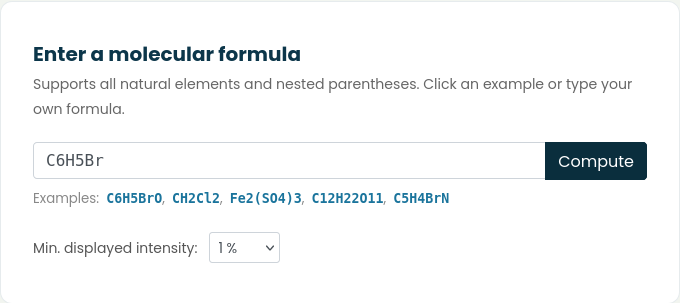
Type a molecular formula and press Compute (or just hit Enter). A few things worth knowing about the input:
- Element symbols are case sensitive, so chlorine is
Cl, notCL. - Parentheses work, including nested ones.
(CH3)3NandFe2(SO4)3are both fine. - The examples below the box are clickable if you just want to see how the output looks.
- The Min. displayed intensity menu hides peaks below a chosen percentage of the base peak. The default of 1% is a good start. Drop it to 0.1% when you want to see the small contributions from isotopes like ¹⁸O or ³⁴S.
The result has three parts. At the top are four numbers: the formula written in Hill order, the monoisotopic mass, the average molecular weight and the mass of the base peak. Below that is the isotopic envelope drawn as a stick spectrum, with each peak at its exact mass and scaled so the tallest one is 100%. Finally, there is a peak table, hidden by default, which lists every peak with its nominal m/z, exact mass and relative intensity.
The difference between the two masses matters. The monoisotopic mass uses only the most abundant isotope of each element (¹²C, ¹H, ⁷⁹Br and so on), and it is the number you compare with a high resolution measurement. The average molecular weight is what you would use to weigh out the compound on a balance. It is not the position of any single peak in the spectrum.
Example 1: one bromine (bromobenzene, C6H5Br)
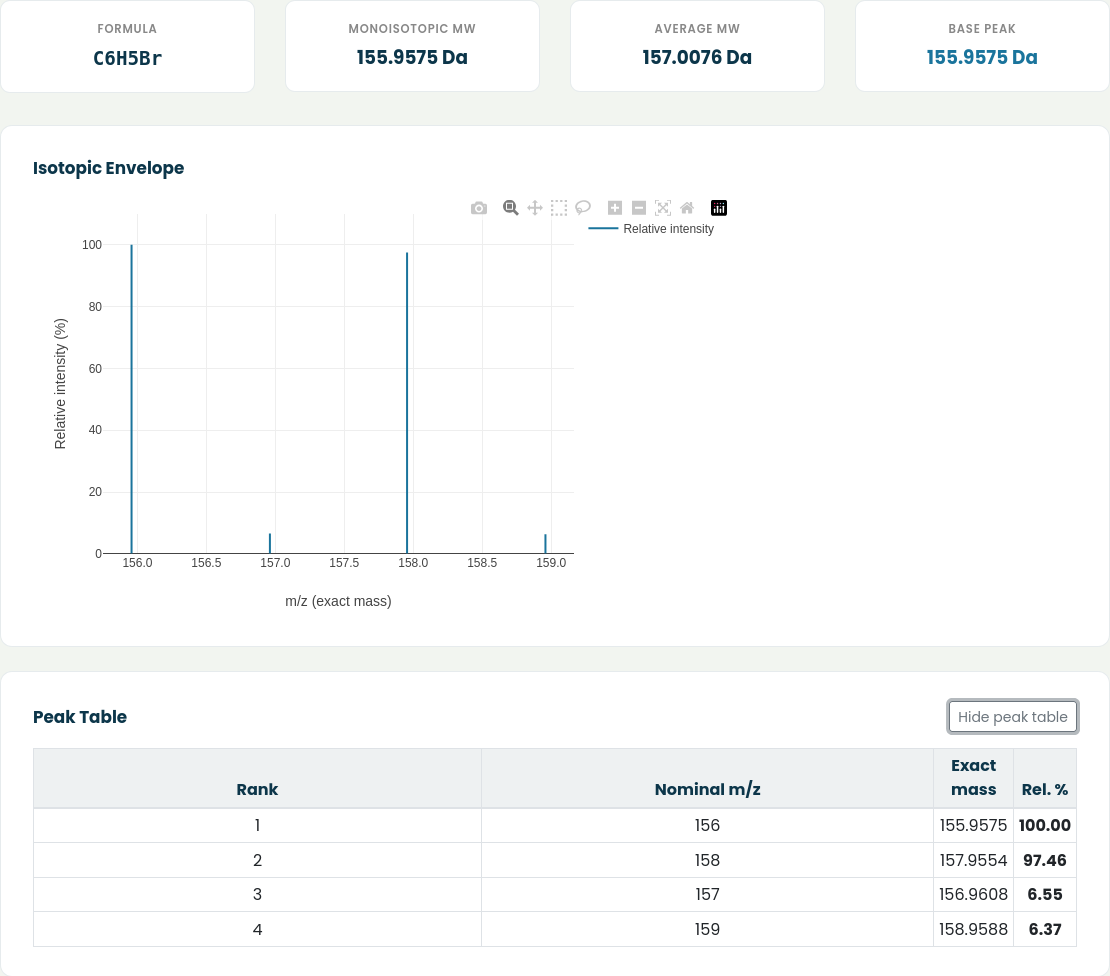
Bromine has two stable isotopes, ⁷⁹Br and ⁸¹Br, in almost equal amounts. That gives bromobenzene its unmistakable signature: two peaks of nearly the same height, two mass units apart.
| Nominal m/z | Exact mass | Relative intensity |
|---|---|---|
| 156 | 155.9575 | 100.00 |
| 157 | 156.9608 | 6.55 |
| 158 | 157.9554 | 97.46 |
| 159 | 158.9588 | 6.37 |
The peaks at 157 and 159 come from molecules carrying one ¹³C atom. With six carbons and a ¹³C abundance of about 1.1%, you expect roughly 6.5% for each, which is exactly what the table shows.
If your spectrum has a molecular ion pair of equal height two units apart, the first thing to suspect is a single bromine.
Example 2: two chlorines (dichloromethane, CH2Cl2)
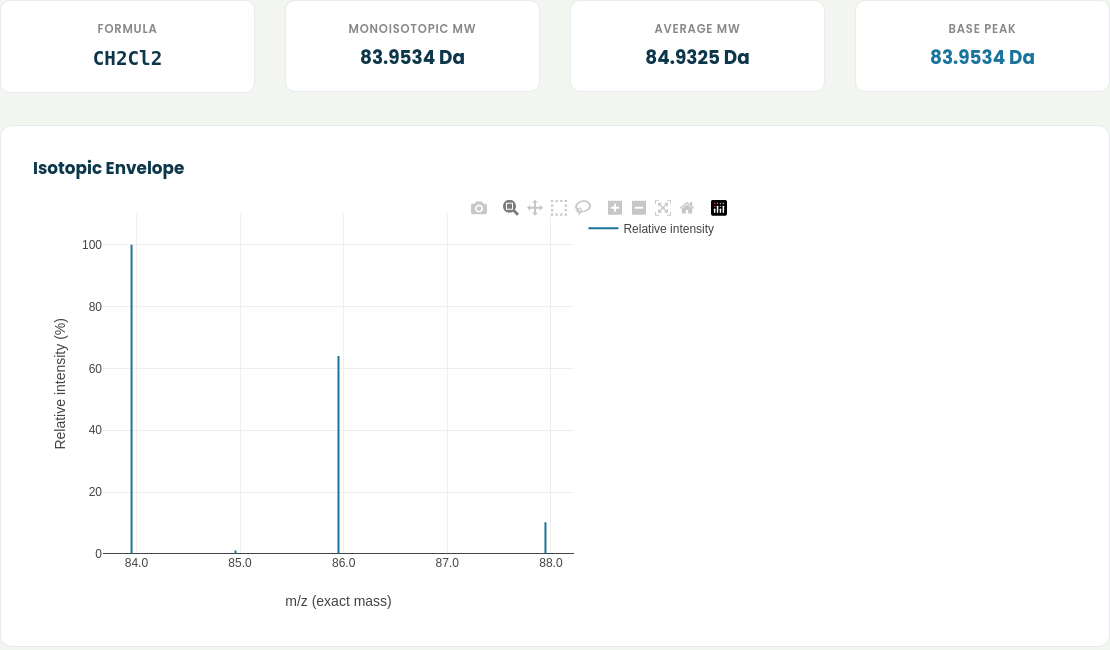
Chlorine also has two isotopes, ³⁵Cl and ³⁷Cl, but in roughly a 3:1 ratio. One chlorine gives an M+2 peak at about a third of the height of M. Two chlorines combine those odds, and the simulator gives:
| Nominal m/z | Exact mass | Relative intensity |
|---|---|---|
| 84 | 83.9534 | 100.0 |
| 85 | 84.9567 | 1.1 |
| 86 | 85.9504 | 64.0 |
| 88 | 87.9475 | 10.2 |
The 100 : 64 : 10 pattern (close to the textbook 9 : 6 : 1) is how two chlorines look. The small peak at 85 is the single ¹³C, which is small here because there is only one carbon.
Example 3: bromine and chlorine together (1-bromo-4-chlorobenzene, C6H4BrCl)
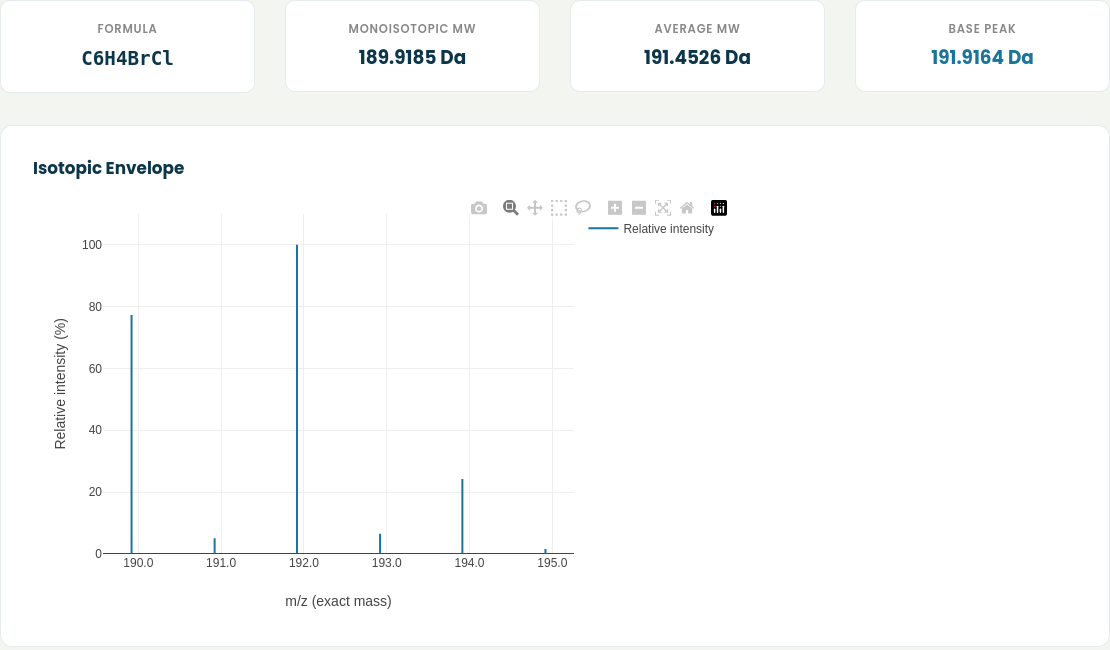
This one is a good reminder that the tallest peak in a cluster is not always the monoisotopic one. Look at the four numbers at the top: the monoisotopic mass is 189.9185, but the base peak is at 191.9164.
The reason is that two different combinations land on m/z 192. A molecule with ⁸¹Br and ³⁵Cl and a molecule with ⁷⁹Br and ³⁷Cl have the same nominal mass, and their abundances add up. The result is a cluster of about 77 : 100 : 24 for M, M+2 and M+4, which is the typical fingerprint of one bromine plus one chlorine.
When you pick a peak to compare with your high resolution data, make sure you are comparing the same isotopologue. Matching your measured 191.916 to the monoisotopic 189.919 would give you an error of 2 Da and a lot of confusion.
Example 4: counting carbons (progesterone, C21H30O2)
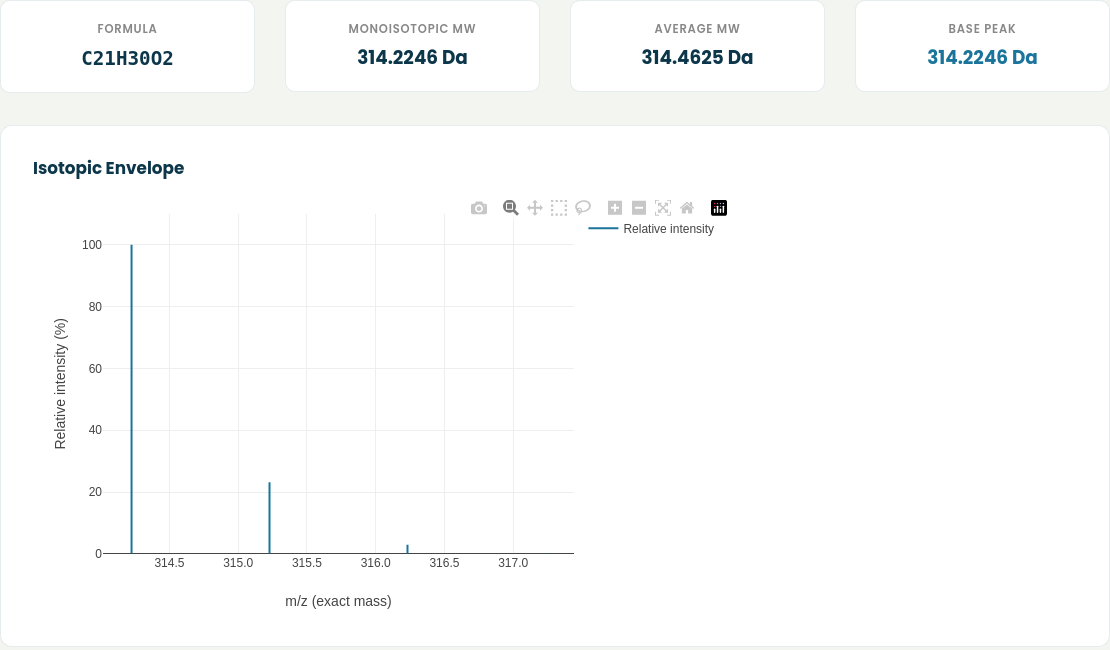
For compounds with no halogens or sulfur, the pattern is dominated by ¹³C, and the size of the M+1 peak tells you roughly how many carbons there are. Each carbon adds about 1.1% to M+1, so a common shortcut is:
number of carbons ≈ (M+1 intensity as a percentage of M) / 1.1
For progesterone the simulator gives M+1 at 23.1%, and 23.1 / 1.1 is 21. That matches the formula. The hydrogens and oxygens add a little on top, which is why the estimate is approximate and gets less reliable for very large molecules.
| Nominal m/z | Exact mass | Relative intensity |
|---|---|---|
| 314 | 314.2246 | 100.0 |
| 315 | 315.2279 | 23.1 |
| 316 | 316.2313 | 3.0 |
A few practical tips
Ions are not neutral molecules. The simulator works with the formula you type. If you measured an ion in ESI, enter the formula of the ion, not of the parent molecule: add one H for [M+H]⁺, add Na for [M+Na]⁺, and so on. Strictly speaking, a positive ion has also lost an electron, which is 0.00055 Da. That only matters when you compare exact masses at the sub-millidalton level, but it is good to know where the small discrepancy comes from.
Sulfur is easy to miss. One sulfur adds about 4 to 5% to M+2. A molecule like C7H7NO2S shows an M+2 of 5.2%, which is easy to overlook next to an M+1 of 9%. Set the display threshold to 0.1% when you need to see these smaller peaks clearly.
Use the peak table for reports. When you need numbers rather than a picture, open the peak table. It lists the exact mass and the relative intensity of every peak in the cluster, ready to copy into your notes.
Try it yourself
The simulator is useful in both directions. If you have a structure in mind, check that its pattern matches your spectrum. If you do not, try a few candidate formulas until the cluster lines up.
You can open it at moleculeidentifier.com/ms_isotope_LO.